
Documentation
Easy Multilingual SEO
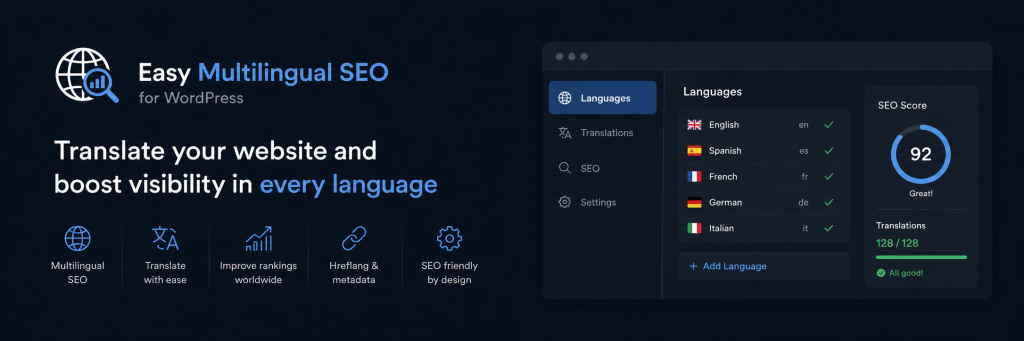
Manual translations and multilingual SEO for small WordPress sites. No external translation APIs — you control every string, URL prefix, and meta field.
On this page
- Overview
- Requirements
- Quick start
- How it works
- Admin interface
- Settings tab
- Translations tab
- Metadata tab
- SEO check tab
- Languages & URL slugs
- Managing translations
- SEO metadata
- Front-end behavior
- Language selector
- SEO output
- XML sitemap
- Categories & tags
- Image alt text
- llms.txt
- Browser language
- SEO plugin compatibility
- Developer reference
- Troubleshooting
- Uninstall
- ↑ Back to top
Overview
Easy Multilingual SEO helps you run a multilingual WordPress site without a heavy translation platform. You define a default (source) language, enable additional languages, register source text, and provide translations manually.
On the front end, visitors browse prefixed URLs such as /cs/about/ or /en/blog/. Matching registered phrases in page content, menus, titles, and widgets are replaced automatically for the active language.
What this plugin is
A lightweight, WordPress-native tool for small sites that want full control over translations and SEO metadata per language.
What this plugin is not
It does not call Google Translate, DeepL, or other APIs. It does not duplicate posts per language. Content replacement depends on exact registered source strings.
Key features
- Configure any number of languages (BCP 47 codes, names, flags, URL slugs)
- Manual translations with page scanning and CSV import/export
- Per-language SEO fields for posts, pages, categories, and tags
- Language-prefixed URLs for pages, posts, homepage, and posts page
- Optional translated category/tag URL slugs
- Language selector shortcode and Gutenberg block
- Built-in SEO check (translation coverage & readiness audit)
- Per-attachment translated alt text
- Localized URLs in
wp-sitemap.xml - Optional
/llms.txtfor AI crawlers - Compatibility with Yoast SEO, Rank Math, and The SEO Framework
Requirements
| Requirement | Details |
|---|---|
| WordPress | 6.1 or newer (tested up to 7.0) |
| PHP | 7.4 or newer |
| Pretty permalinks | Required for language URL prefixes, localized sitemap, llms.txt, and translated term slugs. |
| SEO plugin | Optional. Yoast SEO, Rank Math, or The SEO Framework can take over head output in Auto mode. |
Quick start
- Install and activate the plugin.
- Open Easy Multilingual SEO from the WordPress admin menu.
- On Settings, add languages, set a default, and add URL slugs.
- Save, then visit Settings → Permalinks and click Save Changes.
- On Translations, scan pages or add strings manually.
- On Metadata, set per-language SEO fields.
- Add
[emls_language_selector]or the Language Selector block. - Run SEO check and fix reported issues.
How it works
URL model
One WordPress post or page exists per piece of content. Languages use URL prefixes, not duplicate posts.
- Default language — e.g.
https://example.com/about/ - Other languages — e.g.
https://example.com/cs/about/
Translation replacement rules
- Only registered source strings are replaced — exact match required.
- Replacement runs in HTML text only; script and style tags are skipped.
- Multi-word phrases match as full phrases; single words match whole words only.
Language detection
- URL prefix
- Visitor preference cookie
- Optional browser
Accept-Languageredirect on first visit - Default language fallback
Admin interface
| Tab | Purpose |
|---|---|
| Translations | Source strings, translations, scan, CSV |
| Metadata | Per-language SEO fields |
| SEO check | Readiness audit |
| Settings | Languages, selector, SEO output, sitemap, and more |
Settings tab
Configure languages, selector appearance, SEO metadata output (Auto / Always / Never), low-translation noindex, llms.txt, browser language detection, XML sitemap, and translated term slugs.
Translations tab
Create translations manually, scan pages/posts/template parts, import/export CSV (UTF-8, max 2,000 rows per export), search and filter the registry, edit or delete entries.
Metadata tab
Per-language SEO title, meta description, viewport, and Open Graph fields for posts and pages. Term archives have fields on category/tag edit screens.
SEO check tab
On-demand audit of setup, translations, coverage, metadata, media alt, technical SEO, and term slugs. Cached ~30 minutes; click Re-run check after fixes.
Languages & URL slugs
https://example.com/ → default language
https://example.com/cs/ → Czech homepage
https://example.com/cs/uvod/ → Czech page
After changing slugs
Save Settings, then visit Settings → Permalinks and click Save Changes.
Managing translations
Use page scan to discover strings from rendered HTML, or add them manually. Each entry maps one source string to translations per language.
<?php echo esc_html( emls_translate( 'Contact us', 'cs-CZ' ) ); ?>SEO metadata
Fill SEO title and meta description for each important URL in each language. OG image recommended size: 1200×630 px.
Front-end behavior
<html lang="...">reflects the active language.- Internal links stay in the current language on prefixed URLs.
- wp-admin and the block editor keep unprefixed URLs.
Language selector
[emls_language_selector]Or use the Language Selector block. Choosing a language sets a preference cookie.
SEO output
When enabled: document title, meta description, viewport, canonical, Open Graph, Twitter cards, JSON-LD, hreflang alternates (with x-default) on supported views.
XML sitemap
https://example.com/wp-sitemap-emls-localized-urls-1.xmlIncludes localized URLs with hreflang xhtml:link entries when enabled in Settings.
Categories & tags
Translated slugs and term SEO metadata on category/tag edit screens. Optional translated URL slugs per language.
Image alt text
Default and per-language alt text in Media Library; output on front end for images and Image blocks.
llms.txt
Optional /llms.txt with site summary and key URLs for AI crawlers. Enable in Settings.
Browser language detection
First-visit redirect from Accept-Language; preference stored in emls_lang_pref cookie.
SEO plugin compatibility
Auto defers to Yoast, Rank Math, or TSF when detected. Always forces this plugin’s output. Never disables plugin SEO output entirely.
Developer reference
Filters: emls_should_output_metadata, emls_should_output_hreflang, emls_language_metadata, emls_document_title
Troubleshooting
- 404 on language URLs — Enable permalinks; save Settings + Permalinks; check slugs.
- Missing translations — Exact source match; scan the page; use prefixed URL.
- Duplicate SEO tags — Set metadata output to Auto if another SEO plugin is active.
- Stale SEO check — Click Re-run check.
Uninstall
Deactivating stops routing and SEO output but keeps data. Uninstalling removes plugin options, translations, metadata, and related data. Back up first if needed.
Easy Multilingual SEO · Documentation